Jump to content
Create New...
  • 💬 Join the Conversation

    CnG Logo SQ 2023 RedBlue FavIcon300w.png
    Since 2001, Cheers & Gears has been the go-to hub for automotive enthusiasts. Join today to access our vibrant forums, upload your vehicle to the Garage, and connect with fellow gearheads around the world.


  • William Maley
    William Maley

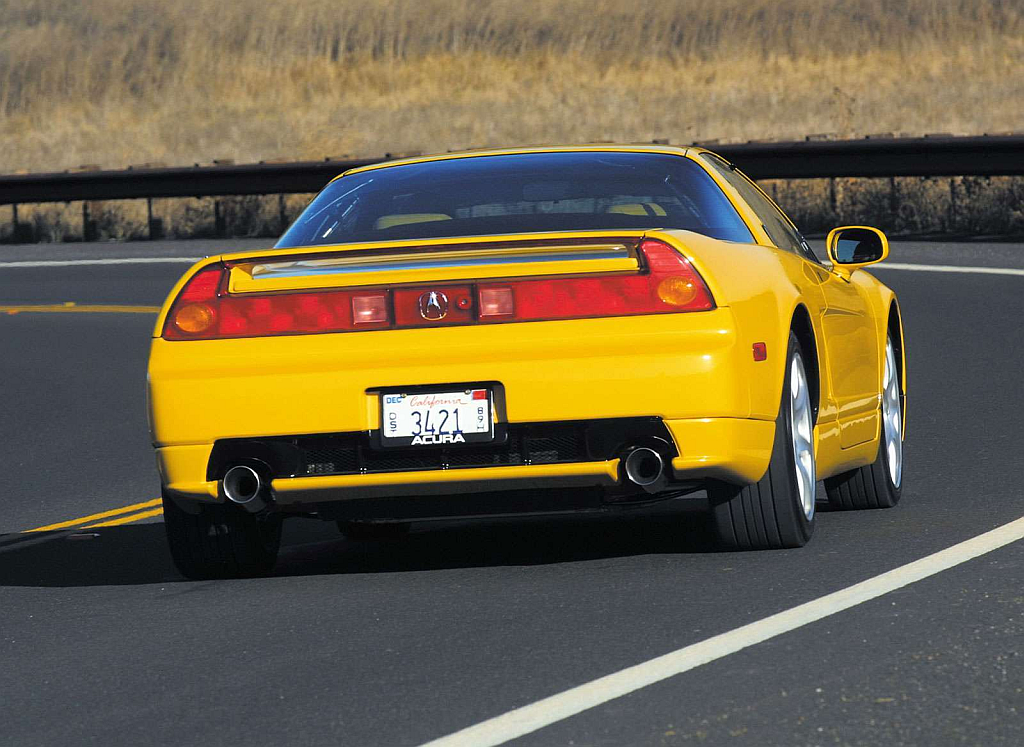
    Coming To Detroit: Honda NSX Successor Concept

    If there is one thing that has bemoaned enthusiasts for the past few years, it's the lack of the NSX from the Acura/Honda lineup. Orginally, Honda had originally planned out the NSX replacement, but was canned due to the global economic crisis.

    But within the past year, Honda has hinted at a return of the NSX, with their CEO Takanobu Ito adding fuel to it.

    If a report from Autocar is to believed, Honda will be showing a concept version of what could be the successor to the NSX at the 2012 North American International Auto Show in Detroit. The car, known as the Super Sports Concept will follow the Small Sports EV Concept that will be shown at the Tokyo Motor Show.

    Not much is known about the Super Sports Concept, but expect either a hybrid or electric powertrain.
    gallery_10485_267_754806.png

    Source: Autocar

    User Feedback

    Recommended Comments

    Instead of wasting resources bringing back a low volume, high-priced supercar, Acura should bring out a desirable, reachable car, because the current lineup isn't cutting it.

    Link to comment
    Share on other sites

    consider that the latter US-market NSX was watered down from not only its then-current Japanese version, but its previous iteration (the NA1 is largely considered better than the NA2 as far as the Acura variants go). Also consider that Acura's lineup--rather all of Honda's lineups--are utterly boring. They desperately need a car like this to put some soul back into their lineup.

    I always liked the NSX. Just don't screw this up, Honda (they probably will).

    Edited by Turbojett
    Link to comment
    Share on other sites


    Join the conversation

    You can post now and register later. If you have an account, sign in now to post with your account.
    Note: Your post will require moderator approval before it will be visible.

    Guest
    Add a comment...

    ×   Pasted as rich text.   Paste as plain text instead

      Only 75 emoji are allowed.

    ×   Your link has been automatically embedded.   Display as a link instead

    ×   Your previous content has been restored.   Clear editor

    ×   You cannot paste images directly. Upload or insert images from URL.


  • Support Real Automotive Journalism

    Cheers and Gears Logo

    Since 2001, Cheers & Gears has delivered real content and honest opinions — not emotionless AI output or manufacturer-filtered fluff.

    If you value independent voices and authentic reviews, consider subscribing. Plans start at just $2.25/month, and paid members enjoy an ad-light experience.*

    You can view subscription options here.

    *a very limited number of ads contain special coupon deals for our members and will show

  • Posts

    • Thank you very much.  I knew you'd chime in.  It has borrowed some 25 GB ... that I want back!  I'll make myself a cup of hot tea this week when I hope to be more relaxed and do this.
    • Yes, that is true that Windows upgrade uses the space to make all the changes, but it should release it fairly soon. You can go in and do some house cleaning: Free Up Space on the Current Drive Open File Explorer, right-click the 😄 drive, and select Properties. Click Disk Cleanup and select files to delete, such as temporary files and old system updates. Click OK to proceed. Open Command Prompt as an administrator and run powercfg.exe -h off to disable hibernation and free up space. Move large files or folders (e.g., Documents, Downloads, Pictures) to another drive: Right-click the folder, select Properties, go to the Location tab, and click Move. Uninstall unnecessary apps via Settings > Apps > Installed apps. Also check out this as this covers what most other articles also state about cleaning up and freeing up space after a Win11 upgrade. How to reclaim space after upgrading Windows 11 to newer version
    • Nothing negative to say about it, other than its a SUV...and nothing negative about the body creases that go from the front to the back, but they do remind me of the creases on the Graf Zeppelin.    And I kinda like them on the BMW.  But I really really hate the fact that it is a SUV.  *sigh*      About the front and BMW's new design language.   I like it.  @Drew Dowdell said that its kinda new round of retro 2.0 styling. And I would agree.  At least the 'twin kidneys' are toned down a lot from the monstrosities they were putting out.  The one complaint I got is I would prefer if the headlights and 'grille' were more centered on the face. More 'down' on the front eliminating all that nothingness that is 3/4s of the front and the top 1/4 are the lights and twin kidneys.   
    • I feel like they've finally fixed their design language with this, though its almost a new round of neo-retro like we had in the early 2000s with the PT Cruiser, Neu Beetle, HHR, etc.
    • Windows 11 ... Ok, the laptop was upgraded from Windows 10.   There were a couple of power offs and restarts.  Once I got onto the Microsoft Installation Assistant, it went smoothly. Interfaces and dialogue boxes are a little more user friendly. Here's the deal.  I had about 45 GB free before I started the upgrade.  I understand that Windows 11 takes up about the same amount of space as 10.  I've seen posts where people complain that it has taken up a larger amount of disk space than they had before.  The answer comes back that the system drive is temporarily "borrowing" this surplus of space and we'll be giving it back over time.  Is this plausible?  Duplicate files?  How long to get the extra GBs freed up? Thanks.
  • Who's Online (See full list)

    • There are no registered users currently online
  • My Clubs

×
×
  • Create New...

Important Information

We have placed cookies on your device to help make this website better. You can adjust your cookie settings, otherwise we'll assume you're okay to continue.

Hey there, we noticed you're using an ad-blocker. We're a small site that is supported by ads or subscriptions. We rely on these to pay for server costs and vehicle reviews.  Please consider whitelisting us in your ad-blocker, or if you really like what you see, you can pick up one of our subscriptions for just $1.75 a month or $15 a year. It may not seem like a lot, but it goes a long way to help support real, honest content, that isn't generated by an AI bot.

See you out there.

Drew
Editor-in-Chief

Write what you are looking for and press enter or click the search icon to begin your search